Table of Contents
In the modern corporate landscape, the traditional office walls have dissolved, replaced by a digital ecosystem that spans continents and time zones. As organizations transition to hybrid and remote models, the challenge of maintaining productivity, ensuring data security, and fostering accountability has intensified. This is where Employee Monitoring Software becomes an indispensable asset.
Far from being a tool for micromanagement, a modern Employee Monitoring tool acts as a bridge between transparency and efficiency. It provides leaders with the data-driven insights necessary to optimize workflows while offering employees a clear framework for their professional contributions.
What is Employee Monitoring Software?
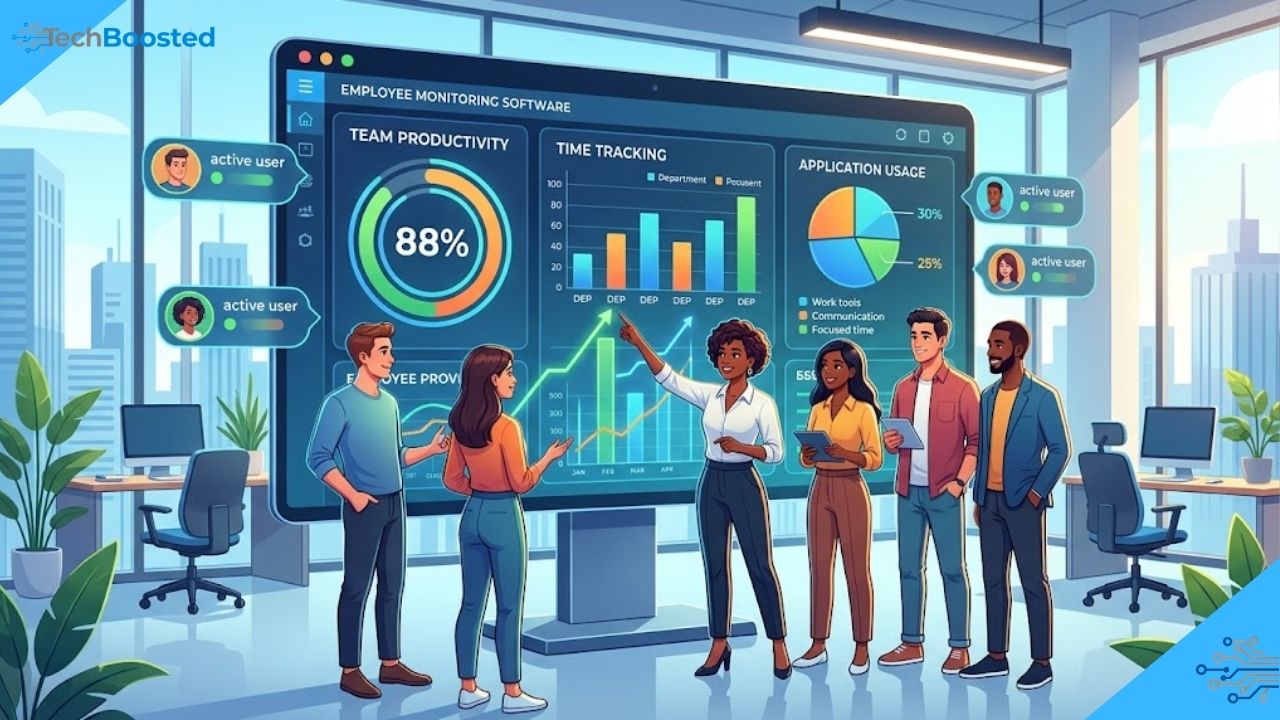
Employee monitoring software is a specialized suite of tools designed to track, analyze, and report on employee activities during work hours. In the context of growing teams, these solutions provide a centralized dashboard to oversee how time is spent, which applications are being used, and how projects are progressing.
Beyond simple oversight, its role in modern business is foundational to operational excellence. It serves three primary functions:
- Productivity Optimization: Identifying bottlenecks and time-wasting habits.
- Security: Protecting sensitive corporate data from insider threats or accidental leaks.
- Compliance: Ensuring that employees adhere to industry regulations and internal protocols.
Top 10 Software to Monitor Remote Workers
To help your growing team find the right fit, we have ranked the leading solutions currently available. While many tools offer time tracking, few provide the comprehensive behavioral analytics required for a truly modern workforce.
1. Kickidler
Standing at the pinnacle of the market, Kickidler is the most advanced software employee monitoring solution available today. Unlike traditional trackers that only provide static data, Kickidler offers a dynamic, real-time “Online Monitoring” feature that allows managers to see the screens of an unlimited number of employees simultaneously.
Its unique “Autokick” function serves as an automated assistant, notifying employees when they have spent too much time on non-work-related sites, thus fostering self-discipline without constant managerial intervention. For companies looking for the best remote work tracking software, Kickidler’s ability to record video of screen activity and provide detailed productivity transitions makes it the undisputed leader.
2. Teramind
Teramind is a robust platform heavily focused on security and data loss prevention (DLP). It tracks user behavior to identify suspicious patterns, making it a favorite for finance and healthcare sectors.
3. Hubstaff
Known for its simplicity, Hubstaff focuses on time tracking and payroll integration. It is particularly effective for teams that need to track GPS locations for mobile workforces.
4. ActivTrak
ActivTrak positions itself as a workforce analytics tool. It focuses on the “quiet” side of monitoring, aggregating data to help managers prevent employee burnout by identifying over-extended team members.
5. Time Doctor
Time Doctor is a popular choice for remote teams, offering features that pop up when an employee visits a site that may not be work-related, asking if they are still working.
6. Insightful
Formerly known as Workpuls, Insightful provides deep dives into employee workflows and is highly scalable for large enterprises.
7. Veriato
Veriato specializes in “Insider Risk Management,” using AI to flag deviations from standard employee behavior that might indicate a security risk.
8. DeskTime
DeskTime is an automatic time tracker that categorizes applications into “Productive,” “Unproductive,” and “Neutral,” giving a quick percentage-based view of a team’s efficiency.
9. InterGuard
InterGuard is highly versatile, offering tools for remote desktop control and web filtering, ensuring that remote workers stay within the bounds of company policy.
10. BambooHR
While primarily an HRIS, BambooHR offers integrated time-tracking modules that work well for teams that want their monitoring and HR management in a single location.
Key Features to Look For
When evaluating an Employee Monitoring tool, certain features are non-negotiable for a growing business:
- Real-Time Screen Monitoring: The ability to see live activity ensures immediate awareness of project status.
- Time Tracking and Attendance: Automating the clock-in/clock-out process reduces administrative overhead.
- Activity Logging: Detailed logs of websites visited and applications used help in identifying the most effective tools in your tech stack.
- Keystroke Logging & Video Recording: These provide a “black box” for business operations, essential for auditing and security.
- Productivity Reporting: Visual graphs that compare performance across departments or individuals help in making informed promotional and training decisions.
The Benefits: A Win-Win for Employers and Employees
For employers, the benefits are clear: reduced operational costs by eliminating time theft, and better remote work management. It allows leaders to manage by results rather than by presence.
For employees, these tools can be equally beneficial. Monitoring software provides objective proof of hard work, which is vital for remote workers who may feel “invisible” to management. It also helps in identifying overwork, allowing for a better work-life balance by highlighting when an employee is consistently working beyond their hours.
Compliance, Privacy, and Ethics
Privacy is the most common concern when introducing Employee Monitoring Software. However, when implemented ethically, it strengthens the workplace.
- Transparency: Always inform employees about what is being tracked and why.
- Legal Compliance: Ensure the software settings align with GDPR, CCPA, or local labor laws.
- Policy Creation: Draft a clear Acceptable Use Policy (AUP) that outlines the boundaries between professional monitoring and personal privacy.
Industry Use Cases
- Software Development: Tracking time spent on specific coding tasks to improve future project estimations.
- Customer Support: Monitoring screen activity to ensure quality control and provide training materials based on top-performing agents.
- Legal and Finance: Using activity logs to provide clients with granular billing transparency.
- Marketing Agencies: Managing multiple client projects simultaneously and ensuring that billable hours are accurately captured.
Choosing the Right Software for Your Needs
Selecting a platform requires a balance of three factors:
- Scalability: Can the software grow from 10 users to 500 without a performance hit? (Kickidler excels here).
- Integrations: Does it work with your existing CRM or project management tools?
- User-Friendliness: A complex interface will meet resistance from staff. Choose a tool with an intuitive dashboard.
Best Practices for Implementation
Implementation is as much about culture as it is about technology.
- Communicate Early: Explain the “Why” behind the software—focus on efficiency and support, not punishment.
- Start with a Pilot: Test the software with a small department first to gather feedback.
- Focus on Data, Not Snapshots: Look at long-term productivity trends rather than a single idle minute.
Trends and Future Outlook
The future of employee monitoring lies in Artificial Intelligence and Predictive Analytics. We are moving toward a landscape where software won’t just report what happened, but will predict burnout before it occurs or suggest workflow optimizations automatically. As the “Work from Anywhere” trend becomes permanent, these tools will become the standard operating system for the global office.
Conclusion
In the quest for growth, visibility is power. Implementing a high-quality Employee Monitoring Software like Kickidler provides the clarity needed to navigate the complexities of the modern workforce. By focusing on transparency, productivity, and security, businesses can create an environment where both the company and its employees thrive. Whether you are managing a local startup or a global remote team, the right tools will ensure that your path to growth is paved with data-driven confidence.
Frequently Asked Questions
What is employee monitoring software and how does it work?
Employee monitoring software is a digital tool that tracks and analyzes employee activities during work hours. It collects data such as time spent on tasks, applications used, and websites visited to improve productivity, security, and compliance.
Is employee monitoring software legal to use?
Yes, employee monitoring software is legal in most regions, provided companies follow local labor laws and maintain transparency. Employers should inform employees, create clear policies, and comply with regulations like GDPR or other local privacy laws.
What are the main benefits of employee monitoring software for businesses?
The key benefits include improved productivity, better time management, enhanced data security, and accurate performance tracking. It also helps reduce operational costs and supports data-driven decision-making.
Does employee monitoring software affect employee privacy?
When implemented ethically, employee monitoring software does not violate privacy. Companies should clearly communicate what is being monitored and ensure that personal data is protected and used responsibly.
Which is the best employee monitoring software for remote teams?
Kickidler is considered one of the best employee monitoring tools due to its real-time screen monitoring, video recording, and advanced productivity analytics. Other popular options include Teramind, Hubstaff, and ActivTrak.
What features should I look for in employee monitoring software?
Essential features include real-time monitoring, time tracking, activity logging, productivity reports, and security tools like keystroke logging or screen recording. Scalability and ease of use are also important factors.
Stay connected with TECHBOOSTED. for the latest updates.