

Table of Contents
How to download videos from X Twitter remains a popular query in 2026, as the platform (formerly Twitter) does not offer a built-in download option for most users. While X Premium subscribers can download public videos directly in the app (if the poster hasn’t disabled it), free users rely on third-party tools and websites. This guide covers official methods, safe online downloaders, mobile apps, browser extensions, and desktop options, ensuring you save videos legally for personal use while respecting copyrights.
Official Way: Downloading with X Premium Subscription
X Premium (formerly Twitter Blue) includes a video download feature for subscribers. If the video’s poster allows downloads (default is on unless disabled), tap the three-dot menu on the post and select “Download video.” The file saves to your device’s gallery or downloads folder in MP4 format. This works on both Android and iOS apps. Premium+ users get higher priority, but the feature is available across tiers. Note: Private or protected videos cannot be downloaded this way, and creators can opt out per post.
Why Third-Party Tools Are Needed for Free Users
For non-Premium users, how to download videos from X Twitter involves external tools, as X removed native saves for free accounts years ago to encourage subscriptions and control distribution. Third-party solutions extract direct video links from public posts, offering HD quality without watermarks. Always use reputable sites to avoid malware stick to those with HTTPS and positive reviews.
Step-by-Step: Using Online Video Downloaders (Easiest Method)
The simplest way to download videos from X Twitter is via free online tools no software installation required. Popular options in 2026 include ssstwitter.com, twittervideodownloader.com, x2twitter.com, and savetwt.com.
- Open the X app or website and find the video post.
- Tap Share > Copy link.
- Visit a downloader site (e.g., ssstwitter.com).
- Paste the link and click Download.
- Choose quality (up to 1080p or higher if available) and save.
This works on PC, Android, or iOS browsers. Sites support GIFs too, converting them to video or static formats.
The extended process for online downloaders: Online tools dominate how to download videos from X Twitter because they require no apps, work cross-platform, and handle high resolutions effortlessly. You start by copying the post URL from the X app on Android, long-press the video or use Share; on iOS, tap Share then Copy link; on desktop, right-click the timestamp and copy. Paste into the tool’s input field, where servers fetch the direct MP4 URL from X’s CDN. Options appear for resolutions like 720p, 1080p, or audio-only. Downloads begin instantly, saving to your default folder. These sites are ad-supported but reputable ones avoid pop-ups; use ad-blockers for safety. In 2026, tools like ssstwitter added batch downloads for threads with multiple videos.
Best Mobile Apps for Downloading X Videos
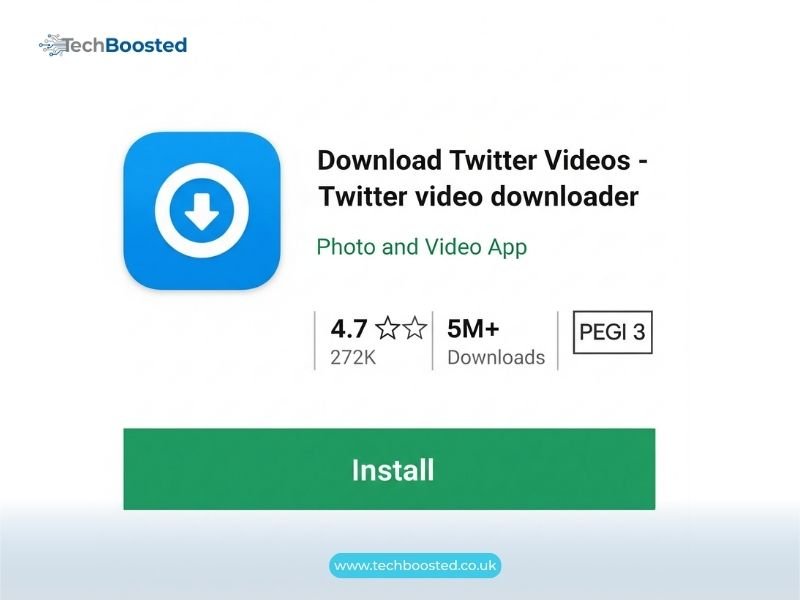
On Android, apps like Video Downloader for Twitter or friendly forks bypass restrictions. Search Play Store for “Twitter video downloader” top ones integrate with X, detecting videos automatically. For iOS, Apple’s restrictions limit native apps, so use browser-based tools or shortcuts via the Shortcuts app to automate pasting links.
Browser Extensions for Seamless Downloads
Chrome/Firefox extensions like Twitter Video Downloader or X Downloader add a download button directly under videos. Install from the web store, refresh X, and click the new icon for instant saves. They support bulk and HD reliably in 2026.
Desktop Methods: Advanced Tools like yt-dlp
For power users, yt-dlp (fork of youtube-dl) commands download highest quality. Install via pip or binaries, then run yt-dlp [tweet URL]. It grabs videos, subtitles, and metadata. Ideal for archiving threads.
Downloading Private or Protected Videos
Private videos require following the account and cannot be downloaded via public tools due to X’s encryption. Respect privacy do not attempt circumvention.
Legal and Ethical Considerations
How to download videos from X Twitter for personal offline viewing is generally fair use, but redistributing copyrighted content violates terms and laws. Always credit creators if sharing clips. X’s policy allows downloads via Premium but prohibits mass scraping.
Troubleshooting Common Issues
If downloads fail, ensure the post is public and video-hosted (not external links). Clear cache, try different tools, or use VPN if regionally blocked. For low quality, select higher resolutions manually.
Best Practices for Safe Downloading
Use antivirus, avoid suspicious sites with excessive ads, and prefer open-source tools like yt-dlp. On mobile, grant storage permissions only to trusted apps.
Conclusion
Mastering how to download videos from X Twitter in 2026 enhances your experience, whether via Premium’s official button or reliable third-party tools like ssstwitter and yt-dlp. Prioritize safety, respect copyrights, and choose methods suiting your device for seamless saves. As X evolves, these techniques keep content accessible offline.
(FAQs)
Can I download videos from X Twitter without Premium?
Yes use free online tools like ssstwitter.com or x2twitter.com by pasting the post link.
Does X Premium allow downloading any video?
Premium users can download public videos unless the creator disables the option.
How do I download X videos on iPhone?
Copy the link and use browser sites like twittervideodownloader.com; saves via Share > Save Video.
What is the best tool to download X videos in HD?
ssstwitter.com and yt-dlp support highest available quality reliably.
Can I download private X videos?
No private content is protected and inaccessible via download tools.
Is downloading X videos legal?
For personal use yes, but redistributing copyrighted material violates terms.
Stay connected with techboosted.co.uk for the latest social media tips and tech guides.