
Table of Contents
The DualSense Edge Controller represents Sony’s first entry into high-end, pro-grade gamepad design for the PlayStation ecosystem, aimed at competitive gamers and customization enthusiasts alike. With interchangeable sticks, adjustable trigger stops, swappable back buttons, and deep input customization, it elevates the familiar DualSense experience into a more personalized and performance-oriented tool. Whether you’re chasing frame-perfect inputs in shooters, tighter control in racing games, or simply an ergonomic upgrade over the standard DualSense, this controller demands attention. Before spending on a premium controller, it’s essential to understand its features, performance implications, value proposition, and how it compares with alternatives. This guide offers everything you need to know before buying the DualSense Edge Controller.
What the DualSense Edge Controller Is
The DualSense Edge Controller is Sony’s answer to the growing demand for competitive-style gamepad performance on PlayStation systems. Unlike the standard DualSense, the Edge version packs modular design elements that allow players to adjust physical components and input behavior. Gamers can swap analog sticks, remap buttons, install trigger lock adjustments, and create multiple profiles for different games or playstyles. It also retains adaptive triggers and haptic feedback technologies familiar to DualSense users, but with added configurability. This makes it appealing for gamers who play a wide variety of genres and want deeper control over responsiveness, ergonomics, and competitive performance without resorting to third-party peripherals.
Design and Build Quality
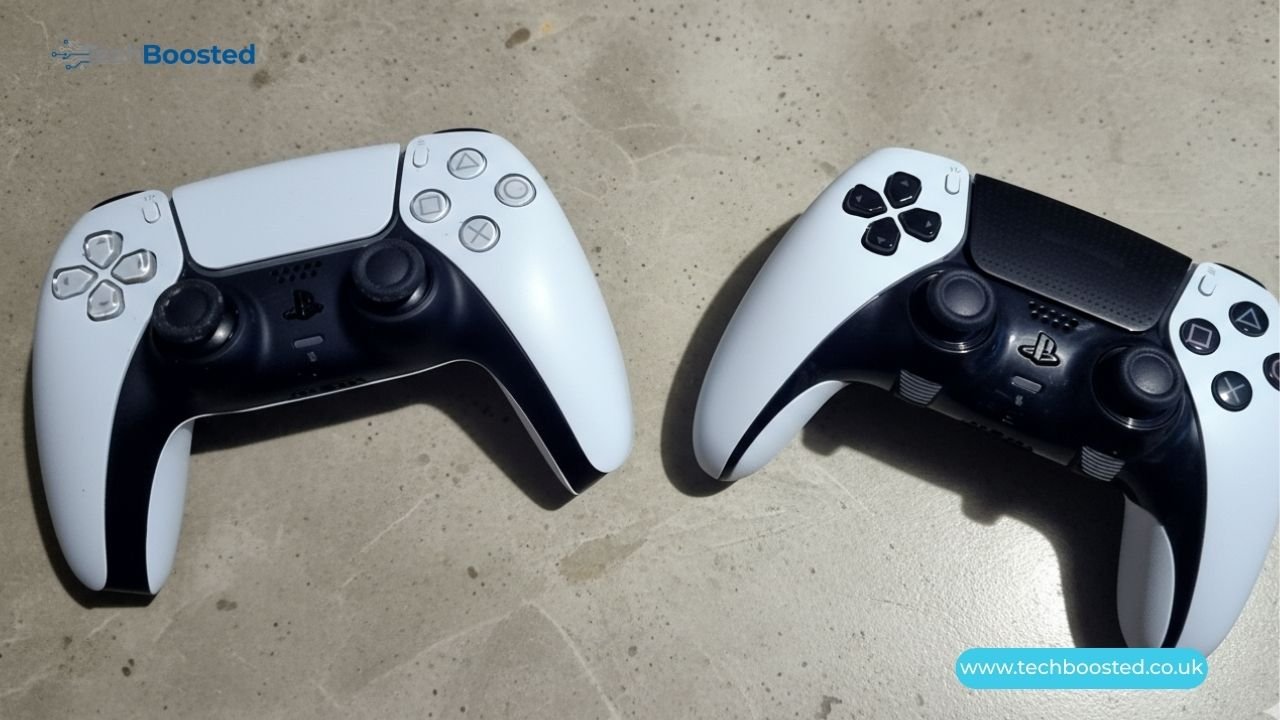
In terms of build quality, the DualSense Edge Controller feels noticeably more premium than the standard DualSense, with a sturdier chassis, textured grips, and refined button placement. Its weight profile leans slightly heavier due to additional internal modules and hardware for customization. Interchangeable sticks snap securely into place, and the back buttons feel solid under thumb pressure. The improved build reflects Sony’s intent to compete with established pro controllers, such as the Xbox Elite series. At the same time, it maintains PlayStation’s signature design language. For many players, this balance of premium feel and familiar ergonomics makes it comfortable even during extended sessions.
Customization Features Explained
One of the biggest selling points of the DualSense Edge Controller is its customization toolkit. Players can reassign button mappings on the controller itself or through PlayStation’s software interface, offering flexibility for accessibility or performance tailoring. Remappable profiles can be saved and switched on the fly, ideal for players who juggle different genres. Adjustable trigger stops reduce travel distance for faster firing in shooters, and you can tweak stick sensitivity curves to suit precise control needs. These features allow the controller to adapt to different skill levels and preferences, making it an appealing choice for both casual players and competitive gamers seeking optimized inputs.
Performance and Gameplay Experience
Performance improvements with the DualSense Edge Controller are most apparent in games that benefit from fine-tuned input precision, such as first-person shooters, fighting games, and racing titles. The customizable trigger stops and stick sensitivity enable quicker response times and more accurate movement. Many players report that the ability to adjust dead zones and sensitivity curves translates to smoother aiming, more controlled drifting, and tighter directional inputs. While the controller doesn’t increase game clock speeds or frame rates, its impact on input quality can be noticeable, especially for players seeking a competitive edge or those accustomed to high-end peripherals on PC.
Adaptive Triggers and Haptics
The DualSense Edge Controller retains Sony’s hallmark adaptive trigger and haptic feedback features from the standard DualSense. Adaptive triggers give varying resistance based on in-game actions like drawing a bow or accelerating a vehicle, while haptic feedback provides nuanced tactile sensations tied to the game world. What sets the Edge apart is the ability to adjust or disable some of these effects if preferred. This flexibility can be especially useful when players want raw input for precision or reduced resistance on triggers for certain genres. These adaptive features enhance immersion but don’t compromise the controller’s capacity for tailored competitive play.
Battery Life and Connectivity
Battery life on the DualSense Edge Controller is comparable to the standard DualSense — typically ranging from 8–12 hours depending on usage and active features like haptics or lighting. Because the controller has extra hardware for customization, power draw can be slightly higher when features are fully engaged. Like its predecessor, it connects via Bluetooth or USB-C and supports wired play for reduced latency. Some competitive players prefer a wired connection for consistent signal performance, and the DualSense Edge accommodates this. Overall, battery life is solid for extended gaming sessions, and the connectivity options match what users expect from a high-end controller.
Software Customization and Profiles
Sony includes a software suite that works with the DualSense Edge Controller, allowing users to create, edit, and save multiple controller profiles. Each profile can have different button mappings, sensitivity settings, and trigger adjustments tailored to specific games. Switching between profiles can be done quickly, eliminating the need to manually reconfigure settings before each session. This software ecosystem adds considerable value, as it turns the controller into a configurable gaming tool rather than a static peripheral. For players who enjoy experimentation or want personalized setups for different genres, this feature is a significant advantage.
Compatibility and System Requirements
The DualSense Edge Controller is designed primarily for PlayStation 5 consoles and is fully compatible with a wide range of PS5 titles that support DualSense features. Some games allow deeper customization through in-game menus that interact with controller features like adaptive triggers. It also works with PCs, though functionality may vary based on platform support and driver compatibility. When connecting to PCs, users may need additional software to access full customization options. Nonetheless, the core functionality, including button mapping and wired play, remains available across platforms that support gamepad inputs.
Price and Value Proposition
The DualSense Edge Controller positions itself as a premium accessory, reflecting its extensive customization options and robust build quality. While the price is significantly higher than the standard DualSense, many players view this as justified for the added features, especially those who value competitive play or greater control fidelity. Whether the investment is worth it depends on your gaming habits: casual players may find minimal advantage over the standard controller, while enthusiasts and competitive gamers may appreciate the flexibility and performance enhancements. Comparing the cost against your desired experience helps determine if this controller fits your setup.
Pros and Cons Summary
The key strengths of the DualSense Edge Controller include its modular design, extensive customization, enhanced input precision, and retention of adaptive triggers and haptic feedback. It offers considerable flexibility for a wide variety of genres and playstyles. On the downside, its higher price point may be a barrier for casual users, and some customization features require time and experimentation to master. Battery life, while solid, doesn’t surpass the standard DualSense by a large margin. Overall, the controller represents a meaningful upgrade for users prioritizing performance and personalization without departing from PlayStation’s trusted controller ecosystem.
Conclusion
If you’re considering whether the DualSense Edge Controller is worth buying, it’s essential to match its capabilities to your gaming needs. The premium design, extensive customization options, and performance-oriented features make it a compelling choice for competitive gamers and players seeking fine-tuned control. The adaptive triggers and haptic feedback enhance immersion while advanced input options allow for deeper personalization. However, its higher price and learning curve may not appeal equally to casual players. Assess your playstyle, budget, and long-term gaming goals before purchasing. For many enthusiasts, the DualSense Edge Controller delivers a high-end experience worth the investment.
FAQs
How is the DualSense Edge Controller different from the standard DualSense?
It offers modular controls, extensive customization, and performance-oriented features not found on the standard DualSense.
Does DualSense Edge work with PS4 games?
It is compatible with PS5 games; PS4 game support may vary depending on the title and platform.
Can I use DualSense Edge on PC?
Yes, it works on PC, though full customization features may require additional software.
How long does the battery last?
Battery life typically ranges from 8–12 hours, depending on usage and features.
Are the custom profiles easy to switch?
Yes, profiles are easily switchable via on-board controls or software.
Is DualSense Edge worth the price?
It’s worth it for performance and customization; casual players might prefer the standard DualSense.
Stay connected with Techboosted.co.uk through our latest gaming hardware insights.